









Orang menyukai PosterMyWall
Terbaru · 2025–2026
Turn subscribers into repeat customers. Design your email, add your mailing list, and send from one app, with AI Writer for subject lines and reports that show opens and clicks.
30 jt+
Total Pengguna
5 rb+
Templat email
244
Negara & Wilayah
Kami percaya biaya desain dan pemasaran tidak seharusnya menguras kantong. Itulah sebabnya kami menghadirkan banyak manfaat dalam satu solusi terjangkau. 💪
Di berbagai aplikasi


Anda hemat $119 dengan satu langganan
Terbaru · 2025–2026






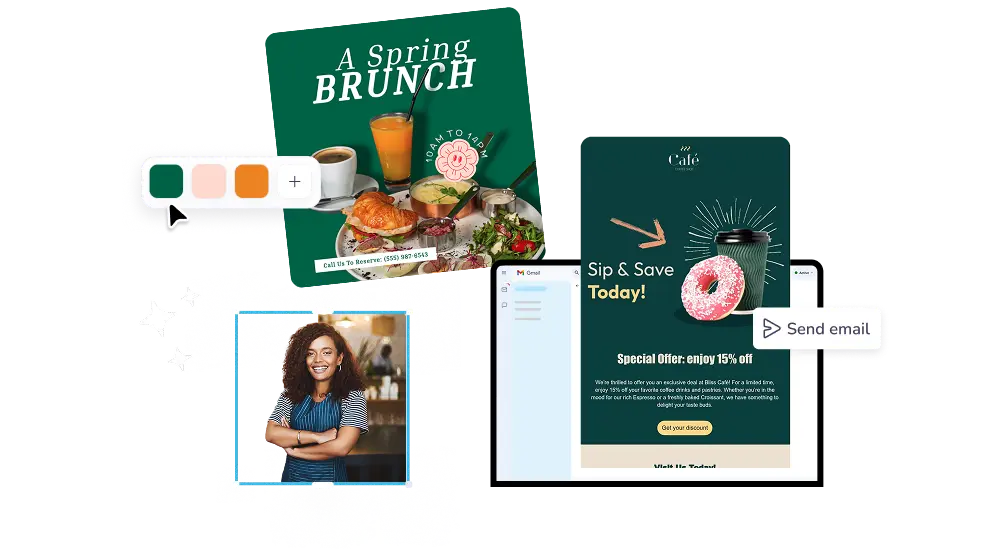
Pick an email template, swap in your photos and your offer, and hit send. The design editor and the sending tools sit in the same place, so you never export a file or paste HTML into another tool. AI Writer drafts your subject line, merge tags add each subscriber's first name, and your newsletter goes out the same afternoon.
One campaign goes to every contact you have, so your Friday special lands in every inbox at once. Premium includes 3,000 email sends a month, Premium Plus includes 10,000, and unused sends roll over. Many mailing platforms hand you a sender and nothing else. Here your design, your list, and your results sit together.
Add a signup form to your website and new subscribers land straight in your mailing list. Upload contacts from a CSV file, split them into lists for regulars, event guests, and new sign-ups, then let Smart Mailing Lists sort people by how they engage. Good list management keeps the tidying off your plate.
Open PosterMyWall on your desktop, mobile, or tablet to get started for free.
Choose from thousands of professionally designed email templates for any business, event, or occasion.
Add your logo, images, videos, fonts, stickers, audio clips, and more. Use Brand Kits for consistent, on-brand designs.
Download the email HTML for free or preview your email on desktop, tablet and mobile to see how it would look on different screens.
Add a mailing list and send your email straight from PosterMyWall.
Dari ucapan musiman hingga promosi spesial, temukan desain email berdasarkan jenis, tema, atau musim agar pemasaran Anda tetap segar sepanjang tahun.





Email mailing software is a tool that designs, sends, and tracks one email to a whole list of contacts at once. PosterMyWall doubles as newsletter mailing software, with the editor, the mailing list, and the reports in one app, so a monthly newsletter or a sale announcement goes out without switching tools.
Yes, you can design an email and download the HTML free, then paste it into any sender you already use. Sending from PosterMyWall comes with Premium plans, which add 3,000 monthly email sends, signup forms, and scheduling. Free plans still give you the full editor and every email template.
Premium includes 3,000 email sends per month and Premium Plus includes 10,000. Unused sends carry over, so 5,000 left at the end of February become part of your March total. New accounts start at three campaigns per day, and that limit rises as you send more.
Upload a CSV file of contacts, or type addresses in by hand, and PosterMyWall saves them as a mailing list you can reuse. Signup forms on your website or shared as a link feed new subscribers into the same list, so you are not exporting spreadsheets every week.
Yes. Smart Mailing Lists group contacts by how they engage, so people who open and click stay separate from people who never do. You can also build lists by hand for regulars, event guests, or seasonal shoppers. Mailing list cleaning services matter less once your lists sort themselves.
Start from a ready email template and swap in your own text, photos, and colors. AI Email Redesign restyles a whole email when you describe the look you want, and Brand Kits apply your logo, fonts, and colors in two clicks. Your campaign is ready in minutes.
Yes. Pick a date and time for any campaign, or let Send at Best Time choose the hour your list usually opens email. Content Planner shows every scheduled email and social post on one calendar, and each sent campaign reports opens, clicks, and unsubscribes.

Gradient oleh PosterMyWall



© 2010-2026 250 Mils LLC. Hak Cipta dilindungi Undang-Undang.




